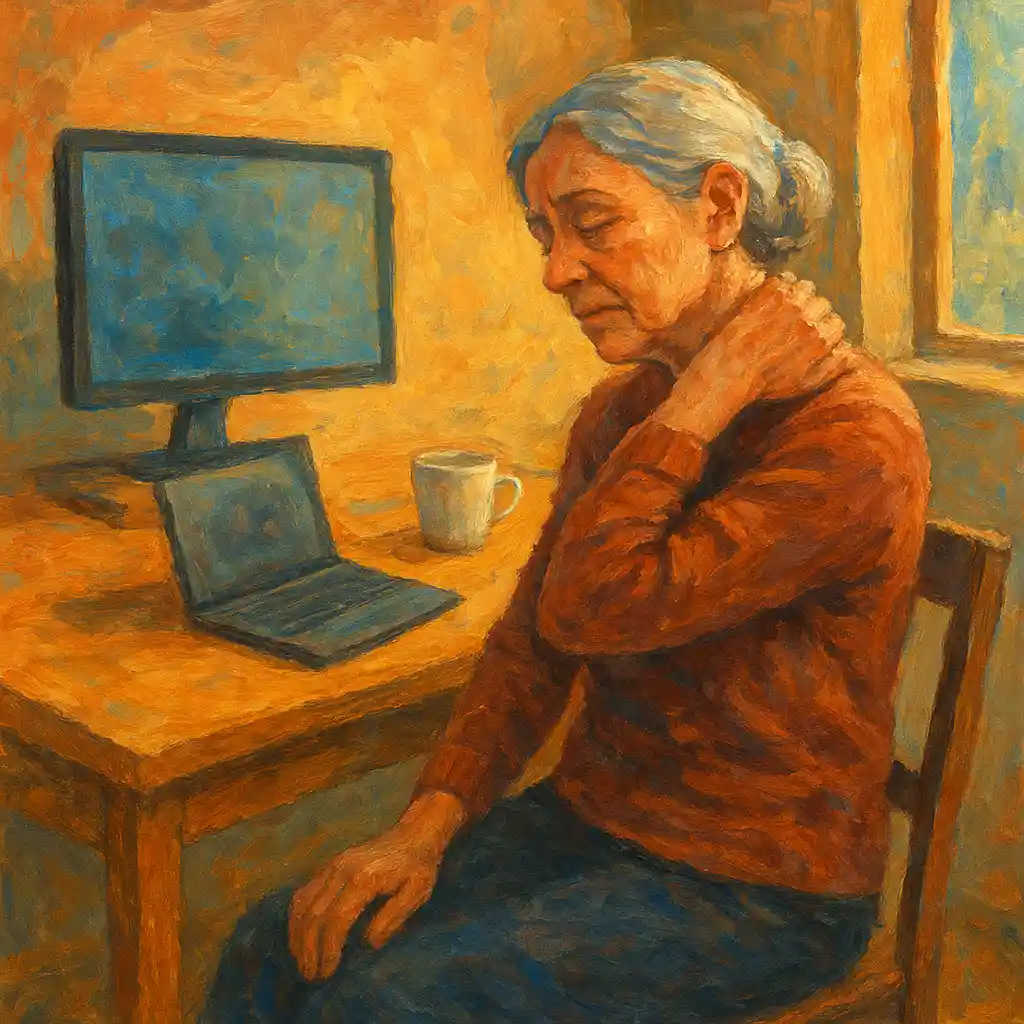
Neck pain can turn simple days into hard days. It can make reading, cooking, walking, driving, and even sleeping feel uncomfortable. For many seniors, neck pain is linked to “tech neck,” which comes from spending long hours looking down at a phone, tablet, or laptop, or leaning forward toward a screen.
The good news is that a better desk setup can reduce strain on the neck. Small changes can also help prevent pain from coming back. This guide shares Tips for Neck Pain Relief that focus on ergonomics, posture, movement breaks, and gentle exercises. The goal is simple: create a workspace that supports the neck, shoulders, and back in a natural position.
1) Understanding tech neck in simple terms
Tech neck is neck and upper back strain caused by looking down or leaning forward for a long time. The head is heavy. When the head moves forward, the neck muscles work much harder to hold it up. Over time, this can cause pain, stiffness, and tired muscles.
Common causes
Tech neck is usually caused by a mix of these habits:
- Looking down at a phone or tablet for long periods
- Using a laptop on a low table or on the lap
- Leaning forward to see the screen better
- Sitting in a chair without good back support
- Holding the shoulders up or forward while typing
- Working without breaks and movement
Common symptoms
Many seniors notice some of these signs:
- Stiff neck and tight shoulders
- Pain at the base of the skull or upper back
- Headaches that start from the neck
- Reduced neck movement, especially turning the head
- Tingling or numbness in the arm or hand in some cases
- A “rounded” upper back posture that gets worse during the day
Long-term effects if it stays untreated
Neck pain is not only an annoying ache. Over months and years, it can lead to bigger problems:
- More stiffness and less flexibility
- Weaker upper back muscles and poorer posture
- More frequent headaches
- Higher risk of shoulder pain
- Less balance and confidence with movement
- Reduced daily activity because of discomfort
A neck-friendly workspace lowers strain, supports better posture, and helps the body stay active.
2) Ergonomics 101 for neck comfort
Ergonomics means fitting the workspace to the body, not forcing the body to fit the workspace. A good ergonomic setup supports three goals:
- Neutral posture Neutral means the neck is tall, shoulders relaxed, and the back is supported.
- Easy reach The keyboard, mouse, phone, and items used often should be close. Reaching and twisting adds strain.
- Regular movement Even a perfect setup cannot replace movement. The body needs position changes to stay comfortable.
These are core Tips for Neck Pain Relief because they reduce daily stress on the muscles and joints.
3) The ideal desk setup for neck pain relief
A) Chair setup: the foundation of comfort
A chair that supports the back helps the neck automatically. Start here before changing anything else.
Chair height
- Sit back in the chair.
- Place both feet flat on the floor.
- Knees should be close to a right angle, around 90 degrees.
- Hips should be level with knees or slightly higher.
If the chair is high and feet do not reach the floor, use a footrest or a sturdy box.
Back support
- The lower back should feel supported.
- A small lumbar cushion or rolled towel can help.
- Sit with the hips all the way back, not perched at the edge.
Seat depth
- There should be a small gap between the back of the knees and the seat edge.
- If the seat is too deep, add a pillow behind the back.
Armrests Armrests should support the elbows lightly, without lifting the shoulders. If armrests push the shoulders up, lower them or remove them.
Simple posture cues
- Ears over shoulders
- Shoulders down and relaxed
- Chest open but not forced
- Head tall, not forward
This reduces neck muscle tension during the day.
B) Desk height: keep elbows comfortable
The desk should allow the arms to rest in a relaxed way.
- Elbows should be close to the body.
- Elbow angle should be around 90 degrees.
- Forearms should be supported by the desk or armrests.
- Wrists should stay straight while typing.
If the desk is too high, raise the chair and use a footrest. If the desk is too low, raise the desk surface or use a keyboard tray.
C) Monitor position: the biggest tech neck fix
Monitor height and distance matter more than many people think.
Monitor height
- The top of the screen should be at eye level or slightly below.
- The eyes should look forward, not down.
- The neck should not bend to see the screen.
Monitor distance
- Place the screen about an arm’s length away.
- If text looks small, increase font size instead of leaning forward.
Monitor angle
- Tilt the screen slightly so it faces the eyes.
- Avoid reflections and glare when possible.
If using two monitors
- Place the main screen directly in front.
- Place the second screen close, not far to the side.
- If both are used equally, place them in a shallow “V” shape.
Low-cost solutions
- Use a monitor stand.
- Use a stable stack of books.
- Use a strong box made for office equipment.
Monitor position is one of the most effective Tips for Neck Pain Relief because it removes the need to bend the neck down all day.
D) Laptop use: reduce “downward head” time
Laptops often cause neck pain because the screen and keyboard are attached. When the keyboard feels right, the screen is too low. When the screen is higher, the keyboard is too high.
A better laptop setup includes:
- A laptop stand or stacked books to raise the screen
- An external keyboard and mouse
- A stable, comfortable chair and desk
This setup lets the screen sit at eye level while the arms type comfortably.
E) Keyboard and mouse placement: protect neck and shoulders
Keyboard and mouse position affects the shoulders. Shoulder tension often becomes neck pain.
Keyboard
- Place it directly in front of the body.
- Keep it close enough so elbows stay near the sides.
- Avoid reaching forward for the keyboard.
Mouse
- Keep it next to the keyboard.
- Keep the wrist straight and relaxed.
- Avoid holding the mouse far away, which pulls on the shoulder.
Neutral wrist position
- Wrists should not bend up, down, or sideways.
- A soft wrist rest can help during breaks, but do not press the wrists hard while typing.
Ergonomic tools that can help
- Ergonomic mouse shaped to fit the hand
- Vertical mouse to reduce forearm twist
- Split or curved keyboard for more natural arm position
Comfort tools should feel supportive, not “forced.” A simple basic setup often works very well when the monitor and chair are correct.
F) Phone and tablet habits: small changes with big impact
Phones and tablets often cause the worst neck bending. A few changes reduce strain:
- Use a tablet stand or prop the device on a stable surface.
- Hold the screen higher, closer to eye level.
- Use voice typing for longer messages when possible.
- Use headphones or speakerphone for calls instead of holding the phone between the head and shoulder.
These are practical Tips for Neck Pain Relief because they reduce daily “downward head” posture.
G) Document holder for reading and typing
If papers sit flat on the desk, the neck bends down often. A document holder lifts papers closer to eye level.
- Place it next to the monitor, at a similar height.
- Keep it close so the head does not turn far.
This helps during bills, recipes, forms, and printed instructions.
4) Lighting and glare reduction for less strain
Poor lighting does not only affect the eyes. It often affects the neck too. When text is hard to see, the body leans forward without noticing.
Better lighting habits
- Use soft, even room lighting.
- Add a desk lamp for reading and writing tasks.
- Place the lamp to the side to reduce screen glare.
- Avoid strong light behind the screen, which increases reflections.
Reduce glare on screens
- Adjust screen brightness to match room light.
- Use an anti-glare screen filter if needed.
- Clean the screen so dust does not add haze.
- Position the monitor so windows are not directly behind or in front of it.
Better light supports better posture, which supports neck comfort.
5) Desk organization: keep needed items within easy reach
A cluttered desk can lead to twisting, reaching, and awkward posture. A clear desk supports calm movement and less strain.
Create simple “reach zones”
- Close zone: items used many times a day, such as mouse, keyboard, phone, glasses, water
- Middle zone: items used sometimes, such as notepad, pens, remote control
- Far zone: items used rarely
Place the close zone items so the elbows stay near the body.
Use simple organizers
- Pen cup or tray
- Drawer organizer for small items
- Desktop file holder for papers
- Small shelf or riser to free space
Cable management
Loose cables can pull devices into poor positions. Simple fixes include:
- Cable clips
- Velcro ties
- Cable sleeve
- Power strip mounted under the desk
A tidy space reduces daily effort and supports better posture. This is an often missed part of Tips for Neck Pain Relief.
6) Movement breaks: the missing piece in many desk setups
Even with excellent ergonomics, staying still for hours can cause stiffness. The body likes gentle movement.
A simple break plan
- Take a short movement break every 30 to 60 minutes.
- Stand up and relax the arms by the sides.
- Roll shoulders slowly.
- Walk to get water.
- Do gentle neck and chest stretches.
Eye and neck reset
The eyes also affect the neck. When the eyes feel tired, the head often moves forward.
A helpful habit is to look away from the screen regularly, focusing on something farther away for a short time. This reduces eye strain and helps the neck relax.
Movement breaks are among the best Tips for Neck Pain Relief because they fight stiffness and improve circulation.
7) Gentle exercises and stretches for neck pain relief
Exercises help in two ways:
- Stretches reduce tightness.
- Strengthening improves support for the neck and upper back.
These exercises should feel gentle. Sharp pain is a stop signal. Slow breathing helps the muscles relax.
A) Quick warm-up (1 minute)
- Sit or stand tall.
- Let shoulders drop.
- Take a slow breath in and out.
- Gently shake out hands and arms.
B) Chin tuck (neck posture reset)
This strengthens deep neck muscles and reduces “forward head” posture.
- Sit tall, eyes forward.
- Gently pull the chin straight back, as if making a small double chin.
- Keep the head level, not looking down.
- Hold for 3 to 5 seconds.
- Repeat 8 to 10 times.
This is one of the most effective Tips for Neck Pain Relief for tech neck.
C) Shoulder blade squeeze (upper back support)
Strong upper back muscles help the neck do less work.
- Sit or stand tall.
- Gently squeeze shoulder blades back and slightly down.
- Keep shoulders relaxed, not lifted.
- Hold for 3 to 5 seconds.
- Repeat 10 times.
D) Shoulder rolls (tension release)
- Roll shoulders up, back, and down in slow circles.
- Repeat 10 times.
- Reverse direction and repeat 10 times.
E) Side neck stretch (upper trapezius stretch)
- Sit tall.
- Place the right hand under the right thigh or hold the chair.
- Tilt the head gently to the left.
- Keep the left shoulder down.
- Hold 15 to 30 seconds.
- Switch sides.
This stretch should feel mild to moderate, not painful.
F) Levator scapulae stretch (back and side of neck)
This muscle often gets tight with tech neck.
- Sit tall.
- Turn the head slightly to the right.
- Look down toward the right armpit.
- Use the right hand to apply very light pressure on the head if comfortable.
- Hold 15 to 30 seconds.
- Switch sides.
G) Chest stretch in a doorway (open the front body)
Tight chest muscles pull shoulders forward, which pulls the head forward.
- Stand in a doorway.
- Place forearms on the door frame at about shoulder height.
- Step one foot forward.
- Gently lean forward until the chest feels a stretch.
- Hold 20 to 30 seconds.
- Repeat 2 times.
H) Thoracic extension (upper back mobility)
- Sit on a chair with a supportive backrest.
- Place hands behind the head or across the chest.
- Gently lean back over the chair backrest.
- Keep the lower back comfortable.
- Repeat 6 to 8 gentle times.
A more mobile upper back often reduces neck stress.
I) Isometric neck strength (no movement, safe control)
These are gentle strength exercises.
- Front press: place hand on forehead and press head lightly into the hand without moving. Hold 5 seconds. Repeat 5 times.
- Side press: place hand on the side of the head and press lightly. Hold 5 seconds. Repeat 5 times each side.
- Back press: place hands behind the head and press lightly. Hold 5 seconds. Repeat 5 times.
Keep effort light, around 30 to 50 percent.
Weekly plan
- Do stretches daily, especially after screen time.
- Do strength exercises 3 to 4 days a week.
- Keep it gentle and consistent.
Consistency matters more than intensity.
8) Extra daily habits that protect the neck
Ergonomics helps at the desk, but neck pain relief also depends on daily habits.
Improve posture during screen time
- Keep screens higher.
- Keep elbows close when holding devices.
- Relax the jaw and shoulders.
- Avoid working with the head pushed forward.
Support during resting and reading
- Use a pillow behind the lower back when sitting on a couch.
- Use a bookstand or pillow support for reading.
- Avoid bending the neck down for long periods.
Sleep support
Sleep position can affect the neck.
- A pillow that keeps the neck in a neutral position helps.
- Side sleeping often needs a thicker pillow than back sleeping.
- Very high pillows can push the head forward.
A good pillow supports the natural curve of the neck.
Manage stress and muscle tension
Stress can tighten shoulders and neck muscles. Helpful habits include:
- Slow breathing for one minute
- Gentle shoulder rolls
- A warm shower or warm compress on tight muscles
These lifestyle steps add to the best Tips for Neck Pain Relief.
9) Ergonomic checklist for a neck-friendly workspace
Use this checklist as a quick setup review.
Chair and sitting posture
- Feet flat on the floor or on a footrest
- Knees around 90 degrees
- Hips supported and back against the chair
- Lower back supported
- Shoulders relaxed, not raised
Desk and arms
- Elbows close to the body
- Elbow angle around 90 degrees
- Wrists straight during typing
- Keyboard close enough to avoid reaching
- Mouse next to the keyboard
Monitor
- Top of screen at eye level or slightly below
- Screen about arm’s length away
- Text size increased to avoid leaning forward
- Main screen directly in front of the body
Lighting
- Screen glare reduced
- Enough light for reading and writing
- Lamp placed to the side
Movement
- Short movement breaks during the day
- Daily gentle stretches
- Strength exercises several times per week
A checklist keeps the setup strong even when routines change.
10) When to seek professional help
A better desk setup helps many people, but some symptoms need extra care. Professional help is important when:
- Pain lasts more than a few weeks despite changes
- Pain gets worse or spreads into the arm
- Numbness, tingling, or weakness appears
- Headaches become frequent or severe
- Dizziness occurs with neck movement
- Pain follows a fall, accident, or injury
A physical therapist can give a personal plan, including exercises that match current strength, mobility, and health conditions.
11) Real-life improvements with ergonomic changes
Real results often come from small steps done consistently.
Story 1: Screen height change A retired office worker used a laptop on a kitchen table for emails and video calls. Neck pain grew worse over months. A laptop stand, an external keyboard, and a mouse lifted the screen to eye level. After a short adjustment period, the neck felt less tight and headaches became less common.
Story 2: Chair and break routine A senior who enjoyed online puzzles sat on a soft couch with a low coffee table. The neck stayed bent for long periods. Switching to a supportive chair at a proper desk, plus short standing breaks each hour, reduced stiffness and made screen time more comfortable.
Story 3: Lighting and font size Another senior leaned forward to read small text and fought screen glare from a window. Moving the monitor, adding a small lamp, and increasing font size reduced forward head posture. Neck and shoulder tension became milder over time.
These examples show the power of simple, steady changes.
Conclusion: A healthier neck starts with a smarter setup
Tech neck pain is common, but it is not a life sentence. A comfortable chair, correct screen height, better keyboard and mouse placement, and good lighting can reduce daily strain. Regular movement breaks and gentle exercises add long-term strength and flexibility.
These Tips for Neck Pain Relief work best when applied step by step. Start with the biggest impact changes, like monitor height and chair support, then improve the smaller details like lighting and desk organization. Add a simple stretch routine and short breaks to keep the body moving.
A neck-friendly workspace supports comfort, confidence, and independence. Over time, it can also support better sleep, better mood, and better daily energy.