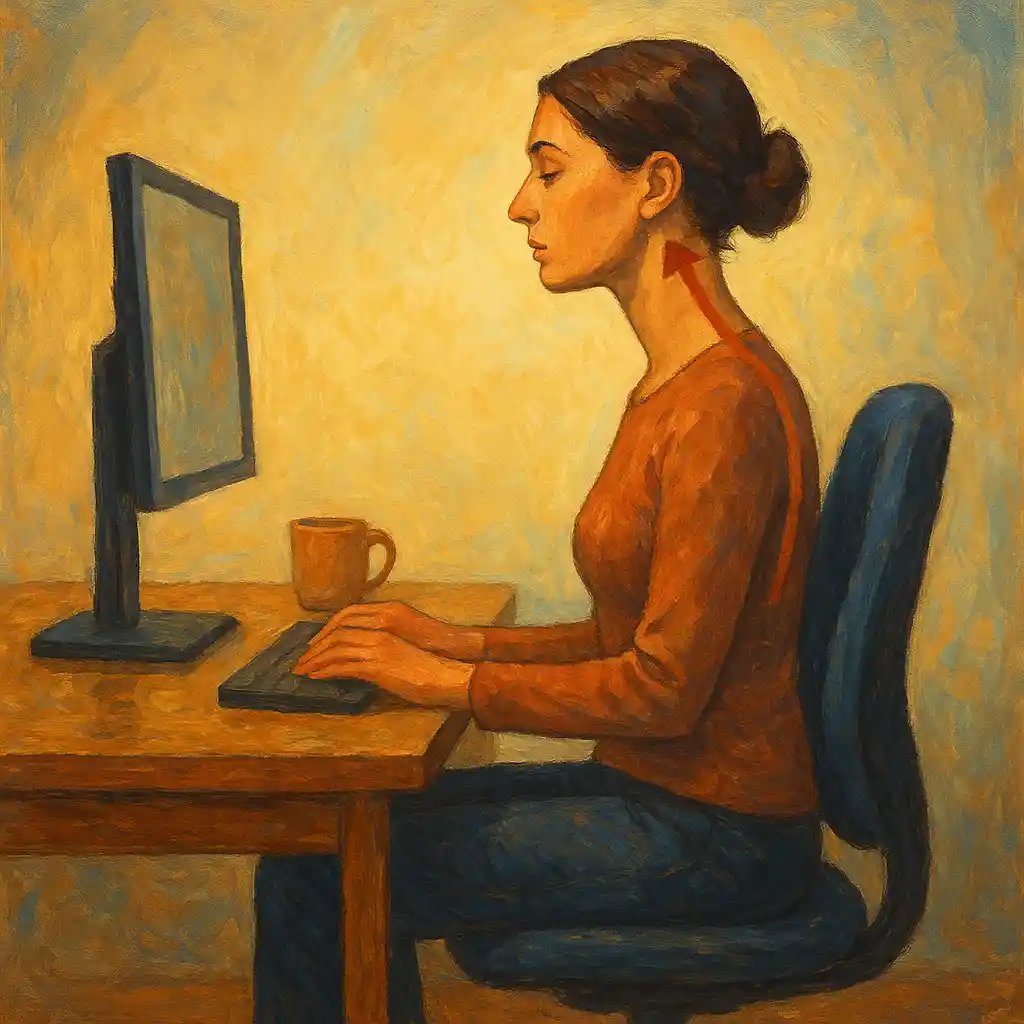
Neck pain at a desk can turn simple tasks into hard work. It can also affect sleep, mood, and daily energy. The good news is that many cases of desk-related neck discomfort improve quickly when the workspace supports the body instead of fighting it. Small ergonomic changes often bring fast relief, and they also help prevent the pain from coming back.
This article gives a simple, step-by-step plan to set up a neck-friendly workspace. The focus is on clear actions, good posture, smart equipment placement, and short movement breaks. The language is simple, the steps are realistic, and the goal is comfort you can feel the same day.
1) Why desk work often causes neck pain
Neck pain at a desk is usually not caused by one single movement. It usually builds up from many small stresses repeated for hours. Common reasons include:
Forward head posture
When the head moves forward (even a few centimeters), the neck works much harder to hold it up. Over time, the muscles at the back of the neck get tired and tight, and the upper shoulders often become painful.
A screen that is too low or too far away
A low monitor makes the neck bend forward and down. A far monitor makes the body lean forward, which also pulls the head forward.
Raised shoulders and “reaching” arms
If the desk is too high, or the keyboard and mouse are too far away, the arms reach forward. The shoulders lift and tighten. This can spread tension into the neck.
Poor chair support
A chair without good back support often leads to slouching. When the lower back collapses, the upper back rounds, and the head moves forward to “find” the screen.
Phone habits
Holding a phone between the ear and shoulder puts the neck into a strained position. Even a few minutes at a time can trigger pain, especially if repeated daily.
Less movement during the day
Stillness is a big issue. The body is built for movement. Sitting without breaks reduces blood flow and increases stiffness.
Why seniors often feel it more
With age, many people experience:
- less muscle strength and endurance
- stiffer joints
- vision changes that cause leaning forward
- arthritis or disc wear that reduces comfort in certain positions
This does not mean desk work must hurt. It means the setup and daily routine matter even more.
2) The main ergonomic goal: a neutral, supported posture
A good ergonomic setup helps the body stay close to a “neutral” position. Neutral does not mean perfectly straight or stiff. It means balanced and supported.
A simple neutral posture checklist
Use this list as a target:
- Feet: flat on the floor or on a footrest
- Knees: about level with hips, usually around a 90–110 degree bend
- Hips: sitting back in the chair, not perched on the edge
- Lower back: gently supported (lumbar support)
- Shoulders: relaxed, not lifted
- Elbows: close to the body, around 90 degrees
- Wrists: straight and relaxed, not bent up or down
- Head and neck: ears roughly above shoulders, chin level (not pushed forward)
When this becomes the “default” position, neck strain drops sharply.
3) The 15-minute workspace reset (do these steps in order)
Many people adjust one thing, like the monitor, but forget the chair. The order matters because the chair is the base. Start from the floor and move up.
Step 1: Set chair height and foot support
- Adjust chair height so feet rest firmly on the floor.
- Keep knees around 90–110 degrees.
- Keep thighs supported by the seat.
If feet do not reach the floor comfortably, use a footrest or a stable box. Foot support is not a small detail. When feet are unsupported, the body tends to slide forward and slouch, and the neck pays the price.
Step 2: Sit back and set seat depth
Sit all the way back so the chair supports you.
- Aim for a small gap (about two to three fingers) between the edge of the seat and the back of the knees.
- If the seat is too deep and pushes behind the knees, add a firm cushion behind the back or choose a chair with adjustable seat depth.
This step helps the pelvis stay stable, which improves posture up the whole spine.
Step 3: Add lumbar support
Lumbar support means support for the lower back curve.
- If the chair has lumbar adjustment, set it so it supports the natural curve.
- If it does not, use a small lumbar cushion or a rolled towel placed at the lower back.
A supported lower back reduces the urge to round the upper back and push the head forward.
Step 4: Adjust armrests (or remove them if they cause problems)
Armrests can help if they fit well, and they can hurt if they are too high or too wide.
- Set armrests so forearms rest lightly and shoulders stay relaxed.
- If armrests push shoulders up, lower them.
- If armrests prevent you from getting close to the desk, move them back or remove them.
The goal is simple: shoulders down, elbows close.
Step 5: Match desk height to elbow height
When hands are on the keyboard, elbows should be close to a right angle.
- If the desk is too high, raise the chair slightly and use a footrest.
- If the desk is too low, raise the desk surface (if adjustable) or raise the chair and use a footrest.
A good desk height reduces shoulder tension, which often reduces neck pain quickly.
4) Monitor placement: the fastest improvement for many people
Monitor position is one of the biggest drivers of neck posture.
Monitor height
- Place the monitor so the top of the screen is at, or slightly below, eye level.
- The neck should not bend down to read the screen.
If using progressive glasses, it may help to lower the monitor slightly so the head stays neutral. Another option is computer glasses designed for screen distance.
Monitor distance
- Keep the screen about an arm’s length away (often 50–70 cm).
- Increase text size rather than leaning forward.
Centering matters
- Place the monitor directly in front of the body.
- If using two monitors, choose one main screen and center it. If both are used equally, place them close together and center the “join” between them.
Laptop users
A laptop forces the screen low and the keyboard high at the same time, which is a common neck pain trap.
A simple fix:
- Put the laptop on a stand or a stable stack of books.
- Use an external keyboard and mouse.
This change often feels dramatic within a day because it stops the long hours of neck bending.
Monitor tilt
Tilt the screen slightly so it faces the eyes comfortably, usually a gentle backward tilt. Avoid strong tilt that causes glare and makes the head move forward.
5) Keyboard and mouse setup for relaxed shoulders and a calmer neck
Even with a perfect monitor position, a far keyboard or mouse can keep the body in “reaching mode.” Reaching pulls the shoulders forward and increases neck strain.
Keyboard position
- Place the keyboard directly in front of you.
- Keep it close to the body, so elbows stay near the sides.
- Keep wrists neutral. A flat keyboard often works well. If the keyboard has legs, consider keeping them folded down so wrists do not bend up.
Mouse position
- Place the mouse next to the keyboard, not far to the side.
- Keep the upper arm close to the body.
If the mouse is far away, the shoulder lifts and rotates outward, which can send tension into the neck.
Wrist rests
Wrist rests can help, but they should be used correctly:
- Rest palms lightly during pauses, not while actively typing.
- Avoid pushing hard into the rest, which can irritate the wrist.
Helpful upgrades for stubborn tension
These tools can reduce strain for some people:
- Vertical mouse (keeps the forearm more neutral)
- Trackball (reduces reaching and wrist movement)
- Larger mouse (reduces grip tension)
- Mouse sensitivity adjustment (less movement needed)
Small muscle savings add up over a long day.
6) Phone, tablet, and paper habits that protect the neck
Neck pain often comes from small “extra” tasks during the day, not only from computer work.
Phone calls
- Use a headset, earbuds, or speakerphone.
- Keep the phone at a comfortable level instead of bending the neck.
Avoid shoulder cradling. Even short calls in that position can irritate the neck.
Tablets and e-readers
Tablets encourage looking down for long periods. A better approach:
- Use a tablet stand.
- Raise the screen to reduce neck bending.
- Pair with a small keyboard if typing.
Paper documents
If work includes reading from paper while typing, the neck may turn and bend repeatedly.
A simple fix:
- Use a document holder placed near the monitor, ideally at similar height and distance.
This reduces constant head movement and uneven strain.
7) Lighting and glare: comfort for the eyes, relief for the neck
Eye strain often leads to neck strain. When the eyes struggle, the head moves forward without noticing.
Reduce glare
- Place the monitor so it is not facing a bright window.
- Use curtains or blinds when sunlight hits the screen.
- Consider a matte screen filter if glare is hard to control.
Use balanced light
- Add a desk lamp to light the work area softly.
- Avoid strong overhead light that reflects on the screen.
- Match screen brightness to room brightness. A screen that is much brighter than the room increases strain.
When the screen is easy to see, the head stays back, and the neck relaxes.
8) Desk organization: create a “close reach” zone
A clean, well-organized desk supports posture. It reduces twisting, leaning, and reaching.
A simple reach rule
- Daily-use items stay within forearm reach.
- Less-used items can be farther away.
- Heavy items stay close to avoid sudden reaching.
Good items to keep close:
- keyboard and mouse
- phone or headset
- notepad
- water bottle
If a second screen, printer, or reference materials require repeated turning, consider repositioning them so the body moves less or moves in a more balanced way.
9) Posture habits that prevent “silent creep” during the day
Even with a good setup, posture often drifts. The head slowly moves forward, shoulders round, and the neck tightens. This is normal and happens to everyone. The key is to reset often.
Helpful posture cues
- Keep the chin gently tucked, as if making a double chin very lightly.
- Keep the chest open without forcing the lower back to arch.
- Keep shoulders down and back, gently, not rigid.
A quick posture reset (10 seconds)
- Sit back into the chair
- Feel the lower back supported
- Relax shoulders down
- Bring the head back so ears line up more over shoulders
- Breathe slowly once
This takes seconds and can prevent hours of build-up.
10) Movement and stretching: the missing piece for most people
Ergonomics is not only about equipment. It is also about movement. Even a perfect posture held too long becomes uncomfortable.
A realistic break schedule
- Microbreak: 20–30 seconds every 20–30 minutes
- Short break: 2–3 minutes every hour
- Long break: 5–10 minutes once or twice a day
During breaks:
- stand up
- walk to the kitchen
- look into the distance
- roll shoulders
- breathe deeply
Simple stretches for neck and upper back
Move gently. Stretch should feel mild, not sharp.
1) Chin tuck (neck alignment)
- Sit tall with shoulders relaxed.
- Move the head straight back, as if making a small double chin.
- Hold 3 seconds.
- Repeat 8–10 times.
This strengthens deep neck muscles and counters forward head posture.
2) Upper trapezius stretch (side of neck)
- Sit tall.
- Let one hand hold the chair lightly.
- Tilt the head to the opposite side, bringing ear toward shoulder.
- Hold 15–20 seconds each side.
Keep the shoulder down. Avoid pulling the head with force.
3) Levator scapulae stretch (back corner of neck)
- Turn the head about 45 degrees to one side.
- Gently look down, as if looking into the pocket.
- Hold 15–20 seconds each side.
This targets a common tight spot for desk workers.
4) Shoulder rolls
- Roll shoulders up, back, and down in a slow circle.
- Do 10 rolls, then reverse direction.
This improves circulation and releases tension.
5) Shoulder blade squeeze (upper back support)
- Sit tall.
- Squeeze shoulder blades gently back and down.
- Hold 3 seconds.
- Repeat 10 times.
A stronger upper back helps the neck work less.
6) Chest opener (doorway stretch)
- Place forearms on a doorway frame.
- Step forward slowly until a stretch is felt in the chest.
- Hold 20–30 seconds.
A tight chest pulls shoulders forward and increases neck load, so opening the chest helps posture.
Gentle daily strengthening matters
Stretching gives short-term relief. Light strengthening gives longer-term protection. Simple exercises like chin tucks and shoulder blade squeezes can be done daily without special equipment.
11) A daily ergonomic routine that stays easy
Many people set up their desk once and then forget. Comfort improves most when ergonomics becomes a daily habit.
Morning setup (2 minutes)
- Sit back in the chair and check lumbar support
- Feet supported
- Monitor centered and at the right height
- Keyboard and mouse close
- Shoulders relaxed
Midday reset (1 minute)
- Stand up
- Roll shoulders
- Do 5 chin tucks
- Take a short walk
End-of-day release (3 minutes)
- Chest stretch
- Upper trapezius stretch
- Gentle neck movement
- Slow breathing
Reminders that work
- Use a timer on the computer for hourly breaks
- Place a small note near the monitor with one cue, such as “head back, shoulders down”
- Link posture resets to a habit, such as every time a message is sent or a call ends
Small reminders prevent the slow posture drift that often causes pain.
12) Extra help and safety precautions
Neck pain can be simple muscle tension, but it can also be a sign of a bigger problem. Professional help is important when symptoms are strong or unusual.
Seek medical advice if any of these appear
- pain after a fall, accident, or sudden injury
- numbness, tingling, or weakness in the arm or hand
- pain that travels down the arm
- severe headaches, dizziness, or problems with balance
- fever or unexplained weight loss
- pain that does not improve after a few weeks of good changes
Consider an ergonomic assessment
A professional ergonomic assessment can be helpful, especially for:
- complex home office setups
- chronic pain
- arthritis or past neck injuries
- special vision needs
A specialist can adjust the workstation to your body and work style, not just general rules.
13) Real-life examples: small changes, noticeable results
Example 1: The monitor lift that reduced daily stiffness
A retired office worker used a laptop on a low table while handling bills and email. The head stayed bent forward for long periods. A simple laptop stand plus an external keyboard and mouse brought the screen to eye level. Within a week, neck stiffness in the morning decreased, and shoulder tension at night was much lower.
Example 2: Better chair support improved posture without effort
A hobby writer spent hours in a dining chair with no lumbar support. Sitting became slouched, and the neck leaned forward. Adding a firm lumbar cushion and adjusting seat height with a footrest made it easier to sit back. The neck stopped “working” all day to hold the head up. Comfort improved during the same afternoon.
Example 3: Phone habits were the hidden trigger
A caregiver made many short calls each day and held the phone between shoulder and ear. This created a daily pattern of neck strain. Switching to a simple headset removed that position completely. The sharp “one-sided” neck pain became less frequent and easier to manage.
These examples show an important point: big improvements often come from one or two key fixes, not a full room makeover.
Conclusion: a comfortable neck starts with a supportive workspace
Neck pain at a desk often improves when the body stops fighting the workstation. The most effective changes are usually basic:
- build posture from the ground up with stable feet and a supportive chair
- place the monitor at a comfortable height and distance
- keep keyboard and mouse close to avoid reaching and raised shoulders
- reduce phone and tablet neck bending with stands and headsets
- improve lighting and reduce glare to prevent leaning forward
- reset posture often and add short movement breaks
Relief comes faster when these steps work together. A well-set workstation reduces strain all day, and small daily movement keeps the neck flexible and strong. Over time, this combination protects comfort, focus, and independence.
Consistency matters more than perfection. A few clear changes, done today and repeated tomorrow, support a calmer neck for the long term.