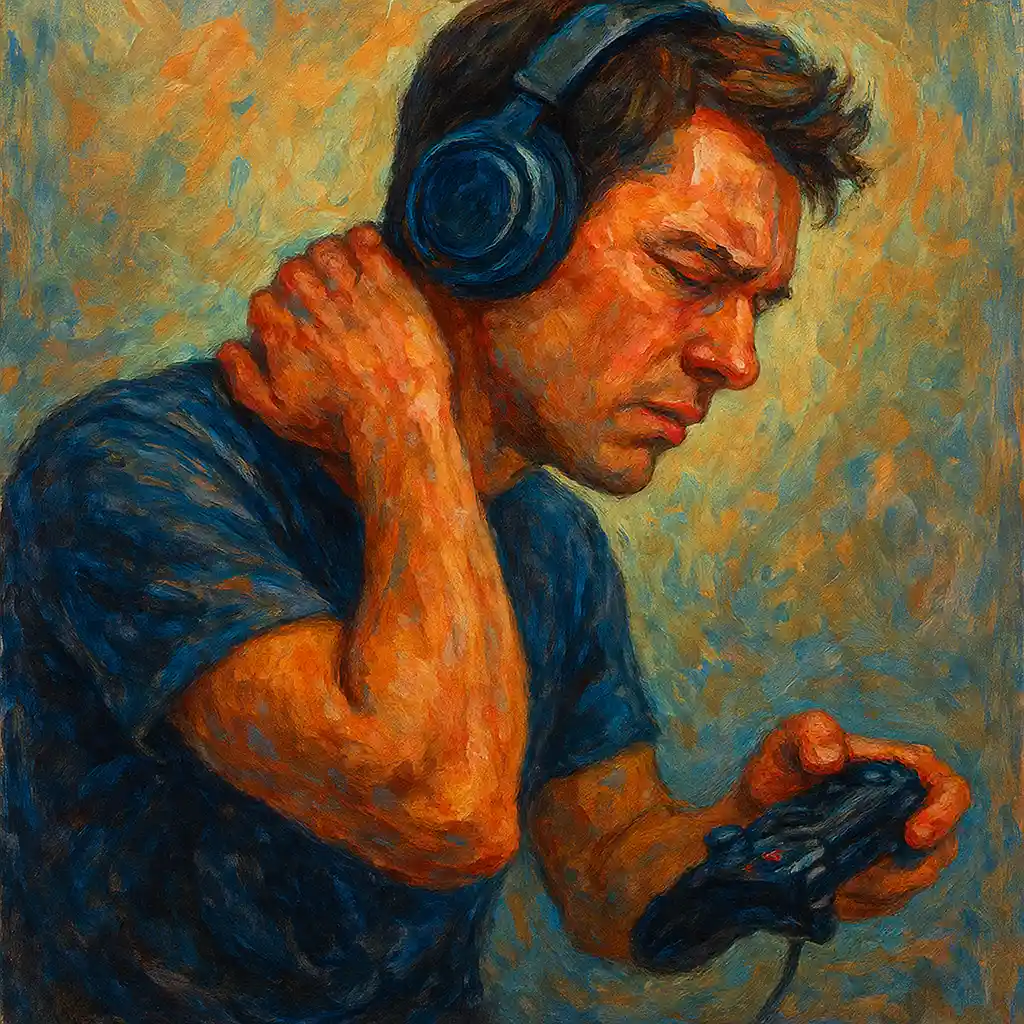
If you are a senior who loves gaming but deals with gaming neck pain, you are not alone. Many older adults feel neck stiffness or aching after sitting in front of a screen for a long time. The good news is that gaming neck pain often improves with a few simple changes: a better setup, regular breaks, gentle stretches, and basic comfort care at home.
Key idea: Most gaming neck pain comes from screen height, posture, and staying still too long. Small daily habits can bring quick relief and help prevent it from coming back.
This guide is written for seniors and focuses on practical, safe steps you can try right away. You will learn how to set up your gaming area, how to stretch your neck safely, and when it is time to ask a healthcare provider for help.
Understanding Gaming Neck Pain (and Why It Happens)
Gaming neck pain is usually caused by muscle strain and tension. When you lean your head forward to look at a screen, your neck muscles work harder to hold your head up. Over time, this can lead to soreness, stiffness, and sometimes headaches.
Common causes of gaming neck pain
- Poor posture: Slouching or leaning forward puts extra stress on the neck and shoulders.
- Screen too low or too high: Looking down at a low monitor or laptop often increases neck strain.
- Long sessions without movement: Staying in one position can make muscles tight and stiff.
- Not enough support: A chair without neck and back support can make posture worse.
- Reaching too far: A keyboard, mouse, or controller that is too far away can pull your shoulders forward.
How long gaming sessions affect your neck muscles
During a long gaming session, your neck and upper back muscles may stay “switched on” the whole time. This can reduce blood flow, increase tension, and make you feel stiff when you finally stand up. Seniors may notice this more because muscles and joints can become less flexible with age.
How gaming neck pain can affect daily life
When gaming neck pain gets worse, it can affect more than your hobby. It may make it uncomfortable to turn your head while driving, read a book, sleep well, or do daily tasks. It can also reduce your focus during gaming, making the experience less fun.
Ergonomic Setup for Gaming Neck Pain Prevention
A good setup is one of the fastest ways to reduce gaming neck pain. You do not need expensive equipment, but you do need the basics: correct screen height, supportive seating, and a comfortable reach to your controls.
Why your gaming setup matters for gaming neck pain
If your screen is too low, you naturally bend your neck forward. If your chair does not support you, you may slump without noticing. The goal is to keep your head balanced over your shoulders, not in front of them.
Quick ergonomic checklist for seniors
- Feet supported: Feet flat on the floor (or on a footrest).
- Knees comfortable: Around a 90-degree bend is a helpful target.
- Back supported: Sit back in the chair so your lower back is supported.
- Elbows relaxed: Arms close to your body, elbows around 90 degrees.
- Screen at eye level: So you are not looking down for long periods.
Choosing the right chair and desk height
A supportive chair can reduce gaming neck pain by helping you keep a steady, upright posture. If your chair is too low, you may hunch forward. If it is too high, your shoulders may lift and tighten.
- Adjust the chair so your feet are stable and you do not feel like you are sliding forward.
- If your feet do not reach the floor, use a footrest or a sturdy box.
- Keep your controller, keyboard, and mouse close so you are not reaching.
Positioning the monitor at eye level (a simple fix that helps fast)
One of the best changes for gaming neck pain is to place your monitor at eye level. A helpful rule is to keep the top of the screen at or slightly below eye level. That way, your neck stays in a more natural position.
If you use a laptop, consider raising it on a stable surface (like a stand or a stack of books) and using an external keyboard and mouse. This keeps your screen higher without forcing your arms into an awkward position.
Using a supportive gaming chair with neck and lumbar support
A chair with neck and lumbar support can help keep your spine aligned. This may reduce the strain that leads to gaming neck pain. If you do not have a gaming chair, you can still improve comfort:
- Use a small cushion or rolled towel behind your lower back.
- Add a small pillow to support your upper back or neck if needed.
- Avoid sitting on a soft couch that makes you sink and slump forward.
Neck Stretches and Exercises for Gaming Neck Pain
Gentle stretching can bring quick relief for gaming neck pain, especially when your neck feels stiff after a session. The goal is not to force a deep stretch. It is to move slowly, reduce tension, and improve flexibility over time.
Safety note for seniors: Stretches should feel gentle. Stop if you feel sharp pain, dizziness, or tingling. Move slowly and breathe normally.
Benefits of regular neck stretches
- Better range of motion: Turning your head may feel easier.
- Less muscle tension: Tight neck and shoulder muscles can relax.
- Improved posture support: Stronger, more flexible muscles help you sit upright longer.
- Less stress: Stretching can calm the body and reduce tension.
Simple neck exercises suitable for seniors
Neck rotations and tilts
Try these movements while sitting tall in your chair:
- Slow rotation: Turn your head gently to the right, pause, then to the left. Do not push into pain.
- Side tilt: Tilt your ear toward your shoulder, then switch sides. Keep shoulders relaxed.
- Forward/back nod: Gently look down, then return to neutral. Avoid throwing your head back quickly.
Shoulder rolls and stretches
Shoulders often tighten with gaming neck pain. These small movements can help:
- Shoulder rolls: Roll shoulders up, back, and down in a slow circle. Then reverse direction.
- Shoulder blade squeeze: Gently squeeze shoulder blades together, hold briefly, then relax.
Chin tucks and neck extensions
Chin tucks are a simple way to support better posture and reduce forward-head strain:
- Chin tuck: Keep your eyes level and gently pull your chin straight back (like making a “double chin”). Hold briefly, then relax.
- Gentle neck extension: If comfortable, look slightly upward, then return to neutral. Do not force this movement.
If you are unsure about any exercise, keep it small and comfortable. Consistency matters more than intensity.
Posture Awareness While Gaming to Reduce Gaming Neck Pain
Even with a good chair, posture can slip during an exciting game. Posture awareness is a key skill for reducing gaming neck pain because it helps you notice tension early.
Why good posture matters during gaming
When you sit upright with your head over your shoulders, your neck muscles do not need to work as hard. When you slouch, your head drifts forward and your neck muscles strain to hold it up.
Senior-friendly posture tips while gaming
- Sit back in the chair: Use the backrest instead of hovering forward.
- Relax your shoulders: Many people raise shoulders without noticing.
- Keep elbows close: Avoid reaching forward for the controller or keyboard.
- Check your head position: If your chin is jutting forward, reset with a gentle chin tuck.
Taking regular breaks to stretch and readjust posture
Breaks are one of the simplest tools for gaming neck pain. A short break every 30 minutes can help prevent stiffness. During a break:
- Stand up and walk for a minute.
- Roll your shoulders and gently turn your head side to side.
- Take a few deep breaths and relax your jaw and shoulders.
Many seniors find it helpful to set a timer so breaks happen even during intense gameplay.
Heat and Cold Therapy for Gaming Neck Pain Relief
Heat and cold therapy can provide quick comfort for gaming neck pain. These are easy options to try at home, and they can work well alongside stretching and posture changes.
Benefits of heat therapy
Heat can relax tight muscles and improve blood flow. It is often helpful when your neck feels stiff, tense, or “knotted.”
Benefits of cold therapy
Cold can reduce inflammation and numb sore areas. It is often helpful if your neck feels irritated or swollen, or if pain flares up suddenly.
How seniors can safely apply heat and cold at home
- Use a barrier: Place a towel between your skin and the heat/cold source.
- Keep sessions short: Heat for about 15–20 minutes, cold for about 10–15 minutes.
- Check your skin: Stop if you notice redness, burning, or numbness lasting too long.
- Do not fall asleep with a heating pad on: This helps prevent burns.
Using heating pads or warm towels
A warm towel or heating pad can be a fast comfort method after gaming. Many seniors like to use heat while sitting quietly and doing gentle breathing, letting the shoulders drop and the neck relax.
Applying ice packs or cold compresses
If you prefer cold, wrap an ice pack (or a bag of frozen peas) in a towel and place it on the sore area. This can calm a flare-up of gaming neck pain and help you feel more comfortable.
Massage Techniques for Gaming Neck Pain Relief
Massage can help reduce muscle tension that builds up during long gaming sessions. For seniors, the best approach is gentle pressure and slow movements. Massage should feel soothing, not painful.
Benefits of neck massage for seniors
- Releases muscle tension: Especially in the neck and upper shoulders.
- Improves circulation: Which may help tight muscles relax.
- Supports relaxation: Stress often shows up in the neck and shoulders.
Self-massage techniques to ease neck tension
Gentle circular motions on the neck and shoulders
Use your fingertips to make small circles at the base of the skull and along the tops of the shoulders. Keep the pressure light to medium. If you find a tender spot, pause and breathe, then continue gently.
Using a massage ball or foam roller for trigger point release
A massage ball (or even a tennis ball) can help you reach tight spots. Place the ball between your upper back/shoulder area and a wall, then lean gently and roll slowly. Avoid pressing directly on the spine or neck bones. If you feel sharp pain, stop and use less pressure.
Mindfulness and Relaxation Techniques for Gaming Neck Pain
Gaming neck pain is not only physical. Stress and tension can make pain feel stronger. Relaxation techniques can help calm the nervous system and reduce muscle tightness.
Why stress management helps neck pain
When you feel stressed or focused intensely, you may tighten your shoulders, clench your jaw, or hold your breath. Over time, this adds to neck tension. Learning to relax during breaks can reduce pain and improve comfort.
Mindfulness practices seniors can try
Deep breathing exercises
Try this during a break:
- Sit comfortably with your back supported.
- Inhale slowly through your nose.
- Exhale slowly through your mouth.
- As you exhale, let your shoulders drop and your neck soften.
Progressive muscle relaxation
This technique helps you notice where you hold tension. You gently tense a muscle group for a few seconds, then relax it. For gaming comfort, focus on shoulders, neck, and jaw. Keep it gentle and stop if it increases pain.
Proper Hydration and Nutrition for Neck Health
Hydration and nutrition can support muscle function and comfort. While they are not an instant cure, they can help reduce stiffness and support recovery from gaming neck pain.
The link between hydration and gaming neck pain
When you do not drink enough water, muscles may feel tighter and more easily fatigued. Staying hydrated is a simple habit that supports flexibility and comfort during long periods of sitting.
Tips for seniors to stay hydrated
- Keep a water bottle near your gaming area.
- Take a few sips during every break.
- If you forget, set a reminder to drink water throughout the day.
Neck-friendly nutrition basics
Some seniors find it helpful to choose foods that support overall health and may help reduce inflammation. The draft highlighted omega-3 fatty acids as one helpful option, found in foods like salmon or flaxseeds. A balanced diet with fruits and vegetables also supports general muscle and joint health.
Regular Movement and Exercise to Manage Gaming Neck Pain
One of the biggest causes of gaming neck pain is staying still too long. Regular movement keeps joints and muscles more comfortable. You do not need intense workouts. Gentle, steady activity is often best for seniors.
Benefits of staying active for neck pain management
- Improves flexibility: Helps reduce stiffness.
- Builds strength: Supports better posture and endurance.
- Supports circulation: Helps muscles recover after long sitting.
- Boosts mood: Movement can reduce stress, which may reduce tension.
Senior-friendly exercises to support the neck and shoulders
Gentle yoga poses targeting neck and shoulder muscles
Gentle yoga can help loosen the neck and shoulders. Simple movements like shoulder rolls, slow neck tilts, and relaxed upper-back stretches can be done at home. Move slowly and avoid any position that causes sharp pain.
Low-impact aerobic exercises for overall fitness
Low-impact activity supports the whole body, which can indirectly help gaming neck pain by improving strength and circulation. Options include easy walking, light aerobics, or other gentle movement that feels safe and comfortable for you.
When to Seek Professional Help for Gaming Neck Pain
Home strategies often help, but some neck pain needs professional support. If your gaming neck pain is persistent or getting worse, it is wise to talk with a healthcare provider.
When to consult a healthcare provider
- Pain lasts more than a few days and does not improve with rest and basic care.
- Neck pain follows a fall, accident, or sudden injury.
- You have numbness, tingling, or weakness in your arms or hands.
- Pain is severe, or you cannot move your neck normally.
Available treatments and therapies for seniors with chronic neck issues
Depending on your situation, a professional may suggest options mentioned in the draft, such as:
- Physical therapy: Guided exercises and stretches to improve strength and mobility.
- Chiropractic care: Spinal adjustments and posture support (when appropriate for your health).
- Pain management strategies and medications: Sometimes including over-the-counter options like ibuprofen or acetaminophen for temporary relief, based on your provider’s advice.
If you take other medications or have health conditions, it is especially important to ask a professional before starting new pain medicines.
A Simple Daily Plan for Quick Relief from Gaming Neck Pain
If you want an easy routine to follow, try this senior-friendly plan. It combines the most helpful steps for gaming neck pain without making things complicated.
Before you play (2–3 minutes)
- Adjust your screen to eye level.
- Sit back in your chair and relax your shoulders.
- Do a few gentle shoulder rolls and a slow neck turn to each side.
During play (every 30 minutes)
- Take a short break.
- Stand up, breathe deeply, and reset your posture.
- Drink a few sips of water.
After you play (5 minutes)
- Use heat for stiffness or cold for a flare-up, if helpful.
- Do gentle neck tilts and chin tucks.
- Try a light self-massage on shoulders and upper neck.
Conclusion: Enjoy Gaming While Protecting Your Neck
Gaming neck pain does not have to ruin your fun. With a better screen height, supportive seating, regular breaks, gentle stretches, and simple comfort tools like heat or cold, many seniors can feel quick relief and prevent pain from returning. Start with one or two changes today, keep them consistent, and build from there.
If you found this helpful, explore more tips in our site’s health and comfort guides to keep your gaming setup senior-friendly and enjoyable.